|
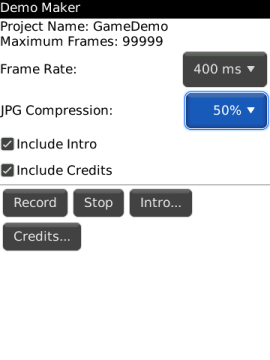
Demo Maker main
screen
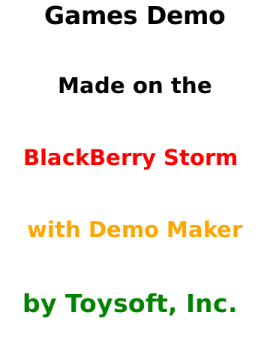
Intro Screen
for the Movie
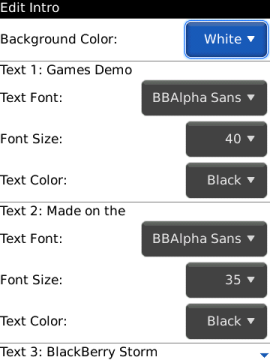
Edit Intro and Credit screens
|
Demo Maker v1.0Price: $4.95 USD

Demo Maker is the only video screen recording app
for the BlackBerry.
Demo Maker will record the current screen and save it into a single
jpg frame. Demo Maker can record almost any screen except when you
play video and the using the Camera.
When you finished recording your video you can then use a desktop
application to create the video. It takes less than a minute to
create a AVI movie from the Demo Maker files. Click here to download
PhotoLapse a free jpg to avi convert
http://home.hccnet.nl/s.vd.palen
You can set the number of frames to record, the speed to record (you
can use time lapse recording) and the quality of the screen.
Even if you do not want to make a video you can still use Demo Maker
to capture multiple screen shots. Demo Maker will keep saving the
screen until you stop it or when the maximum number of frames are
saved.
Either way Demo Maker is a great tool to create application demo on
the actual device. No need to use a Camcorder to record your next
video.
Creating an movie such avi on the desktop computer is easy and can
be uploaded to YouTube.
Requirement:
- BlackBerry®
OS 4.2 and Higher
- 30K of Main Memory
- SD Card
Features:
- Very Configurable
- Save each screen shot to JPG format. No
conversion required
- Save directly to SD Card
- Set maximum frames to record. Up to 99999
frames
- Set the quality of JPG to save
- Have a Intro and Credit screens like the real
DEMO
- Create movie in AVI or MPEG4 format using
desktop application
- No additional hardware is required
- Record demo of games
Compatibility:
- Storm 9500/9530
- Bold 9000
- Curve
- Pearl
- Tour
OTA
Download: (Includes Trial version)
http://www.toysoft.ca/ota/DemoMaker.jad
Desktop Loader Download: (Includes Trial version)
http://www.toysoft.ca/downloads/DemoMaker.zip |